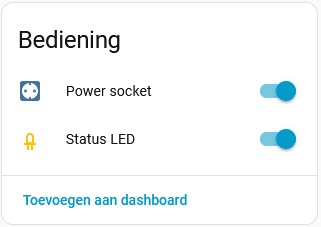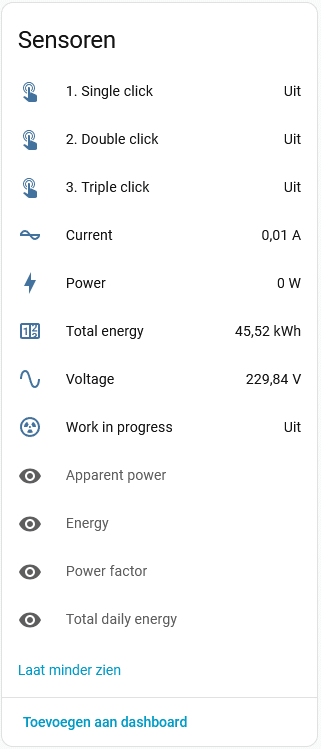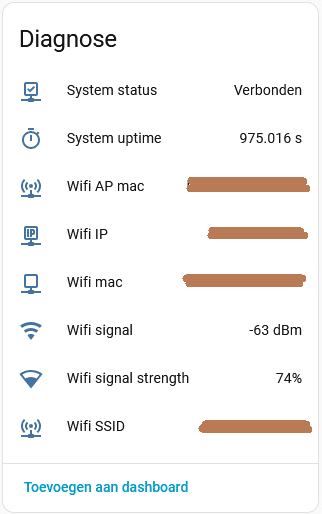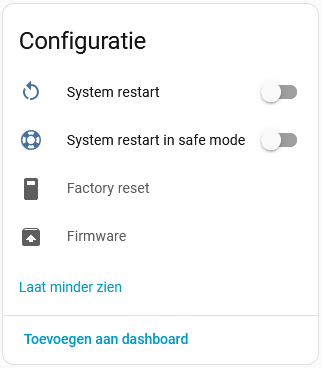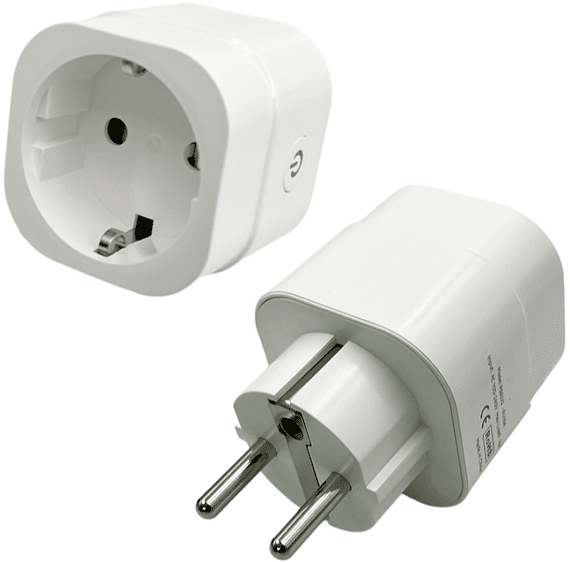
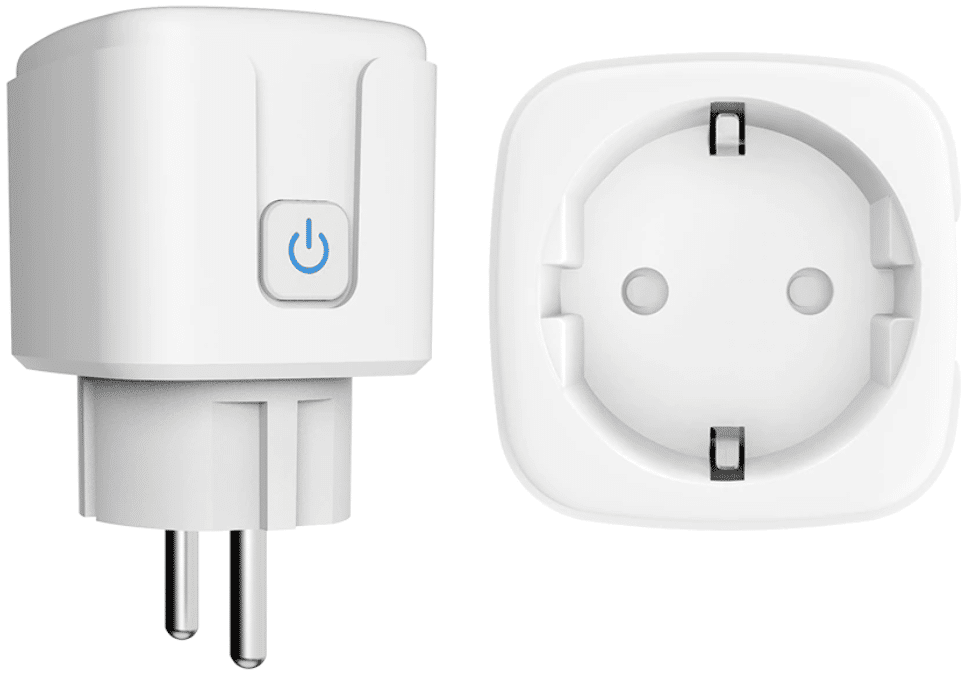
Deze slimme stekker (let goed op, dit is de eerste versie, dus zonder versienummer in de naamgeving), was het eerste type dat ik in huis haalde. Toen al standaard geflashed met Tasmota, door mijzelf omgezet naar ESPHome met onderstaande configuratie.
Mijn configuratiecode heb ik gebaseerd op mijn eigen standaard configuratie, in combinatie met de reeds online gepubliceerde configuratie.
Configuratie
Hieronder mijn configuratie, vragen en/of opmerkingen zijn uiteraard van harte welkom via de comments.
esphome:
  name: "id-naam"
  friendly_name: "Leesbare naam"
  comment: "Athom Smart Plug"
  on_boot:
    - priority: 600
      then:
        # Ensure all click sensors are initially off
        - lambda: id(single_click).publish_state(false);
        - lambda: id(double_click).publish_state(false);
        - lambda: id(triple_click).publish_state(false);

esp8266:
  board: esp8285
  restore_from_flash: true

# Write to flash for setting restore after restart or power cycle
preferences:
  flash_write_interval: 600s                                              # Only per 600s = 10 minutes to reduce flash degradation

# Enable logging
logger:
  baud_rate: 0
  logs:
    component: ERROR                                                      # Avoiding non stop messages in logging. Logging levels: NONE, ERROR, WARN, INFO, DEBUG (Default), VERBOSE, VERY_VERBOSE

# Enable Home Assistant API
api:
  encryption:
    key: "oXuvMyHwNfRPQt+V5kUpYpBiYOa9PxJ8UOOZAHQkpzU="

ota:
  - platform: esphome
    password: "a456d0447fadcaf916c6a59a4f679ca0"

# Configure wifi
wifi:
  ssid: !secret wifi_ssid
  password: !secret wifi_password
  min_auth_mode: wpa2
  fast_connect: true

  # Enable fallback hotspot (captive portal) in case wifi connection fails
  ap:
    ssid: "0-Keuken-Afwasmachine"
    password: "veFRw1mG4Ysa"

captive_portal:

text_sensor:
  # Wifi text sensors
  - platform: wifi_info
    ip_address:
      id: wifi_ip
      name: "Wifi IP"
      icon: mdi:ip-network-outline
    mac_address:
      id: wifi_mac
      name: "Wifi mac"
      icon: mdi:network-outline
    ssid:
      id: wifi_ssid
      name: "Wifi SSID"
      icon: mdi:access-point-network
    bssid:
      id: wifi_connected
      name: "Wifi AP mac"
      icon: mdi:access-point-network

globals:
  # Shows the lifetime Energy kWh used by the device, may reset to zero upon firmware updates
  - id: total_energy
    type: float
    restore_value: true
    initial_value: '0.0'

  # Store last daily energy value calculated with
  - id: temp_energy
    type: float
    restore_value: true
    initial_value: '0.0'

sensor:
  # Wifi signal strength in db
  - platform: wifi_signal
    id: wifi_signal_db
    name: "Wifi signal"
    icon: mdi:wifi
    update_interval: 300s

  # Wifi signal strength in %
  - platform: copy
    source_id: wifi_signal_db
    name: "Wifi signal strength"
    icon: mdi:wifi-strength-2
    filters:
      - lambda: return min(max(2 * (x + 100.0), 0.0), 100.0);
    unit_of_measurement: "%"

  # System uptime sensor
  - platform: uptime
    id: system_uptime
    name: "System uptime"
    icon: mdi:timer-outline
    update_interval: 300s

  # HLW8012 sensor for power measurements
  - platform: hlw8012
    sel_pin:
      number: GPIO12
      inverted: True
    cf_pin: GPIO04
    cf1_pin: GPIO5
    voltage_divider: 780
    change_mode_every: 1

    current:
      id: current
      internal: true                                                      # Seperate template sensor is used to publish current, every 30 seconds
      filters:
        - throttle_average: 30s
        - calibrate_linear:
            - 0.0000 -> 0.0110                                            # Relay off no load
            - 0.0097 -> 0.0260                                            # Relay on no load
            - 0.9270 -> 0.7570
            - 2.0133 -> 1.6330
            - 2.9307 -> 2.3750
            - 5.4848 -> 4.4210
            - 8.4308 -> 6.8330
            - 9.9171 -> 7.9830
        - lambda: if (x < 0.0260) return 0; else return (x - 0.0260);     # Normalize for plug load
      on_value_range:
        - above: 16                                                       # Overload protection for above 16A
          then:
            - switch.turn_off: relay

    voltage:
      id: voltage
      internal: true                                                      # Separate template sensor is used to publish voltage, every 30 seconds
      filters:
        - throttle_average: 30s
      on_value:
        then:
          - lambda: |-
              id(voltage_sensor).update();

    power:
      id: power
      internal: true                                                      # Separate template sensor is used to publish power, every 30 seconds
      filters:
        - throttle_average: 30s
        - calibrate_linear:
            - 0.0000 -> 0.5900                                            # Relay off no load
            - 0.0000 -> 1.5600                                            # Relay on no load
            - 198.5129 -> 87.8300
            - 434.2469 -> 189.5000
            - 628.6241 -> 273.9000
            - 1067.0067 -> 460.1000
            - 1619.8098 -> 699.2000
            - 2043.0282 -> 885.0000
      on_value:
        then:
          - lambda: |-
              id(power_sensor).update();

    energy:
      id: energy
      internal: true                                                      # Seperate template sensor is used to publish energy, every 30 seconds
      filters:
        - throttle_average: 30s
        - multiply: 0.001                                                 # Multiplication factor from W to kW is 0.001
      on_value:
        then:
          - lambda: |-
              id(energy_sensor).update();

# TEMPLATE SENSORS TO PUBLISHING SENSOR VALUES

  # Current sensor
  - platform: template
    id: current_sensor
    name: "Current"
    icon: mdi:current-ac
    device_class: current
    state_class: measurement
    unit_of_measurement: A
    accuracy_decimals: 2
    update_interval: 30s
    lambda: |-
      return  id(current).state;

  # Voltage sensor
  - platform: template
    id: voltage_sensor
    name: "Voltage"
    icon: mdi:sine-wave
    device_class: voltage
    state_class: measurement
    unit_of_measurement: V
    accuracy_decimals: 2
    update_interval: 30s
    lambda: |-
      return  id(voltage).state;

  # Power sensor
  - platform: template
    id: power_sensor
    name: "Power"
    icon: mdi:lightning-bolt
    device_class: power
    state_class: measurement
    unit_of_measurement: W
    accuracy_decimals: 2
    update_interval: 30s
    # Average usage by plug itself is +/- 1.75W. So if lower then 2W (just to be sure) 0W is reported.
    lambda: |-
      if (id(power).state < 2) {
        return 0;
        } else {
          return  (id(power).state - 1.75);
        }
    # To report if e.g. a washing machine or dishwasher is running, the work in progress sensor is set to active with a load above 3W.
    on_value:
      then:
        - if:
            any:
              # If power sensor is not available (NAN) work in progress is set to off.
              - lambda: 'return isnan(id(power).raw_state);'
              # If power sensor is below 5W (+ 1.75 for plug itself) for more than 5 minutes, work is considered to be done, so work in progress set to off.
              - for:
                  time: 5min
                  condition:
                    lambda: 'return id(power).state < 6.75;'
            then:
              binary_sensor.template.publish:
                id: work_in_progress
                state: off
        - if:
            condition:
              - for:
                  time: 5min
                  condition:
                    lambda: 'return id(power).state > 6.75;'
            then:
              binary_sensor.template.publish:
                id: work_in_progress
                state: on

  # Enery sensor
  - platform: template
    id: energy_sensor
    name: "Energy"
    icon: mdi:lightning-bolt-outline
    device_class: energy
    state_class: measurement
    unit_of_measurement: kWh
    accuracy_decimals: 2
    update_interval: 30s
    disabled_by_default: true
    lambda: |-
      return  id(energy).state;

  # Daily energy measurement, resets to zero at 00:00 every day.
  - platform: total_daily_energy
    id: tot_daily_energy
    name: "Total daily energy"
    icon: mdi:counter
    device_class: energy
    state_class: measurement
    unit_of_measurement: kWh
    accuracy_decimals: 2
    disabled_by_default: true
    power_id: power
    filters:
      - multiply: 0.001                                                   # Multiplication factor from W to kW is 0.001
    on_value:
      then:
        # Calculate the difference between last daily energy reading (from global float temp_energy) and current daily_energy.
        - lambda: |-
              float current_energy = id(tot_daily_energy).state;

              // At 00:00 total_daily_energy value is reset to 0.
              // If not just reset, add difference between last value (temp_enery) and current (current_energy).
              if (current_energy > id(temp_energy)) {
                id(total_energy) += current_energy - id(temp_energy);
              }
              // If just resetted, add only the current_energy (measured since 00:00), only done once per reset cyclus.
              else {
                id(total_energy) += current_energy;
              }
              id(temp_energy) = current_energy;
              id(total_energy_sensor).update();

  # Total energy measurement sensor (for publishing), value comes from global value.
  - platform: template
    id: total_energy_sensor
    name: "Total energy"
    icon: mdi:counter
    device_class: energy
    state_class: total_increasing
    unit_of_measurement: kWh
    accuracy_decimals: 2
    update_interval: 30s
    lambda: |-
      return id(total_energy);

  # Apparent power sensor, simple P = U * I calculation
  - platform: template
    id: apparent_power
    name: "Apparent power"
    icon: mdi:lightning-bolt-outline
    device_class: energy
    state_class: measurement
    unit_of_measurement: VA
    accuracy_decimals: 2
    update_interval: 30s
    disabled_by_default: true
    lambda: |-
      return id(voltage).state * id(current).state;

  # Power factor sensor, with P / U * I calculation
  - platform: template
    id: power_factor
    name: "Power factor"
    icon: mdi:lightning-bolt-outline
    device_class: energy
    state_class: measurement
    accuracy_decimals: 2
    update_interval: 30s
    disabled_by_default: true
    lambda: |-
      return id(power).state / (id(voltage).state * id(current).state);

binary_sensor:
  # System connection to Home Assistant sensor
  - platform: status
    name: "System status"
    icon: mdi:check-network-outline

  - platform: gpio
    id: power_button
    name: "Power button"
    pin:
      number: 3
      mode: INPUT_PULLUP
      inverted: true
    internal: true
    on_multi_click:
      # Single click on the button switches off all relays and usb ports, and triggers single click sensor
      - timing:
          - ON for at most 1s
          - OFF for at least 0.5s
        then:
          - logger.log: "Single-Clicked"
          - switch.toggle: relay
          - lambda: id(single_click).publish_state(true);
          - delay: 2s
          - lambda: id(single_click).publish_state(false);
      # Double click only triggers the double click sensor to be able to trigger an HA automation
      - timing:
          - ON for at most 1s
          - OFF for at most 0.3s
          - ON for at most 1s
          - OFF for at least 0.2s
        then:
          - logger.log: "Double-Clicked"
          - lambda: id(double_click).publish_state(true);
          - delay: 2s
          - lambda: id(double_click).publish_state(false);
      # Triple click only triggers the double click sensor to be able to trigger an HA automation
      - timing:
          - ON for at most 1s
          - OFF for at most 0.3s
          - ON for at most 1s
          - OFF for at most 0.3s
          - ON for at most 1s
          - OFF for at least 0.2s
        then:
          - logger.log: "Tripple-Clicked"
          - lambda: id(triple_click).publish_state(true);
          - delay: 2s
          - lambda: id(triple_click).publish_state(false);

  - platform: template
    id: single_click
    name: "1. Single click"
    icon: mdi:gesture-double-tap

  - platform: template
    id: double_click
    name: "2. Double click"
    icon: mdi:gesture-double-tap

  - platform: template
    id: triple_click
    name: "3. Triple click"
    icon: mdi:gesture-double-tap

  - platform: template
    id: work_in_progress
    name: "Work in progress"
    icon: mdi:radioactive-circle-outline

switch:
  # Switch to enable restart from Home Assistant
  - platform: restart
    name: "System restart"
    icon: mdi:restart

  # Switch to enable restart in Safe Mode from Home Assistant
  - platform: safe_mode
    name: "System restart in safe mode"
    icon: mdi:lifebuoy

  # Switch to enable restart in Safe Mode from Home Assistant
  - platform: factory_reset
    name: "Factory reset"
    icon: mdi:factory
    disabled_by_default: true

  # Relay for switching on or off the socket
  - platform: gpio
    name: "Power socket"
    id: relay
    icon: mdi:power-socket-de
    pin: GPIO14
    restore_mode: RESTORE_DEFAULT_ON
    on_turn_on:
      then:
        - light.turn_on: the_status_led
    on_turn_off:
      then:
        - light.turn_off: the_status_led

# Status led under the power button
light:
  - platform: status_led
    name: "Status LED"
    id: the_status_led
    icon: mdi:led-outline
    pin:
      inverted: true
      number: GPIO13
    restore_mode: RESTORE_DEFAULT_ON

# Time bases on sntp servers, needed for calculating power usage
time:
  - platform: sntp
    id: sntp_time
    update_interval: 6h

web_server:
  port: 80
Bediening en sensoren in Home Assistant
Bovenstaande configuratie levert uiteindelijk onderstaande bedieningselementen en sensoren op in Home Assistant. De grijze items zijn standaard niet ingeschakeld (disabled_by_default: true) omdat ik die minder relevant acht, maar wel beschikbaar wil hebben (bijvoorbeeld Factory reset voor het geval je ooit de Total energy terug op nul wilt zetten).